What a malware scanner on a home computer actually covers
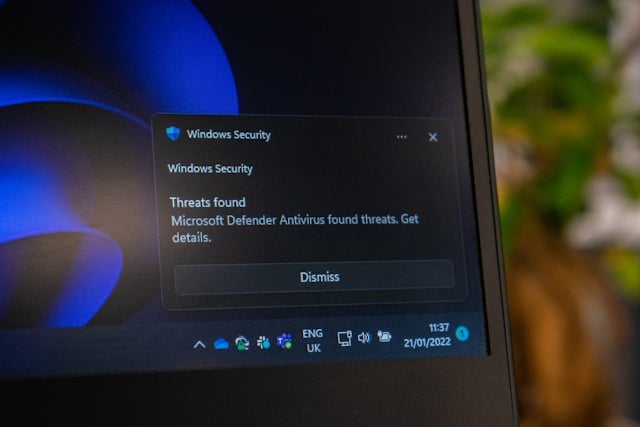
Security marketing has moved on from antivirus to detection and response, and the implication is that a scanner is now a relic. CISA’s own consumer guidance is less dramatic and more useful: have antivirus and anti-malware protection, run day-to-day work in a standard user account, and turn on automatic updates. That last item does more for a home computer than any change of scanner will.
The instructions, as written
- CISA: ‘Ensure your device has antivirus and anti-malware protection.’
- CISA: ‘Use a standard user account for day-to-day tasks to make it more difficult for threat actors to steal your data.’
- CISA on patching: ‘Turn on automatic updates’ so devices ‘install updates without any input from us as soon as the update is available.’
- FTC’s malware removal sequence: stop sensitive activity, get security software, make sure all updates are current, run a scan.
- #StopRansomware Guide: ‘Maintain offline, encrypted backups of critical data, and regularly test the availability and integrity of backups.’
The pitch, and what is wrong with it
The argument runs that signature-based scanning cannot keep up, that businesses have moved to endpoint detection and response, and that a home user is therefore running obsolete protection.
The first two claims are broadly fair. The conclusion is not. Endpoint detection and response is built around an analyst or a service watching the alerts it produces. Its output is a stream of things to investigate. Nobody at home is going to triage that at eleven at night, and a detection nobody reads is not a control.
What CISA and the FTC actually ask for
CISA’s Project Upskill module asks two things of a computer. That it has antivirus and anti-malware protection, and that you use a standard user account for day-to-day tasks so that a compromise does not arrive with administrative rights already attached.
The FTC’s malware guidance treats security software as one step in a sequence rather than the whole answer: stop sensitive online activity, get security software, ensure all updates are current, run a scan. Note where ‘ensure all updates are current’ sits — before the scan, not after it.
Neither agency names a product. Neither describes a class of tool you must buy. The verbs are have it, update it, and do not run as an administrator.
The settings that outperform the scanner
CISA’s framing of patching is a race: ‘Malicious online criminals won’t wait, so we shouldn’t either!’ The instruction that follows is to remove yourself from the loop entirely by turning automatic updates on, so that updates install as soon as they are available rather than when you next get round to it.
CISA goes further and puts the burden on suppliers too, telling consumers to question providers who do not offer automatic updates, because ‘It’s your information they’re putting at risk!’
Backups are the other control that does more work than detection. The #StopRansomware Guide asks for offline, encrypted backups that are regularly tested — and CISA’s device guidance adds a detail people skip: ‘Avoid leaving the external drive connected when not actively backing up your data.’ A permanently attached drive is reachable by anything that reaches the computer.
Getting something out of the scanner you do have
- Confirm real-time protection is switched on rather than only on-demand scanning, and that its own definitions update automatically.
- Create a standard user account and use it for everyday work, keeping the administrator account for installing software.
- Learn the FTC’s list of symptoms so you notice before the scanner does: sudden slowdowns and crashes, a machine that will not shut down or restart, software you cannot remove, excessive pop-ups, ads appearing in places you would never see them, unfamiliar toolbars, a new default search engine, a home page that keeps changing, emails you did not write, and a battery draining faster than it should.
- If you suspect an infection, follow the FTC’s order: stop sensitive activity, update everything, then scan.
- If a scan will not clear it, the FTC’s next step is to recover or reinstall the operating system using instructions from the manufacturer’s website — not from a search result.
Why ‘antivirus is dead’ keeps getting written
Because it sells the replacement. The claim is always attached to a product tier above the one you have.
And because it contains a real observation. Signature matching genuinely does miss novel malware, which is why the agencies place the weight on prevention and recovery instead: automatic updates that close the flaw before it is used, a standard account that limits what a compromise can touch, and tested offline backups that make the worst outcome survivable.
A scanner is worth having, and CISA says so plainly. It is simply the least interesting thing on the list.
Sources: CISA Project Upskill, Module 1 · CISA — update software · FTC — how to recognize, remove and avoid malware · CISA #StopRansomware Guide · CISA — how to protect data stored on your devices
Reviewed 27 August 2026 by the CyberArtical editorial team against primary guidance from CISA and the FTC. Security guidance changes over time; where our earlier version of this page said something different, we say so in the article rather than editing it out quietly.