Paid security software against what your system already includes

This question is usually settled by a comparison table and an affiliate link. It is worth answering a different way: by reading what the agencies actually instruct, noticing what they leave out, and then working out what a paid tier would have to do to beat the things they emphasise. The short version is that the money is rarely the variable that matters.
What the guidance does and does not say
- CISA’s instruction is simply: ‘Ensure your device has antivirus and anti-malware protection.’ No product is named. No free-versus-paid distinction is drawn.
- CISA’s patching instruction is to ‘Turn on automatic updates’ so updates install ‘as soon as the update is available’.
- CISA tells consumers to question providers who do not offer automatic updates, because ‘It’s your information they’re putting at risk!’
- FTC’s malware sequence puts ‘make sure all your software is up to date’ before running a scan.
- #StopRansomware Guide: ‘Regularly patch and update software and operating systems to the latest available versions.’
If it is on and updating, you have met the bar
If your computer has malware protection that is switched on and updating itself, you have met the requirement CISA states. Whether you paid for it is not a variable in any published guidance we found.
Before spending anything on detection, spend the free ten minutes on automatic updates, a standard user account for daily work, and a backup that is not permanently plugged in. Those are the items the agencies keep returning to.
What is already running on the machine
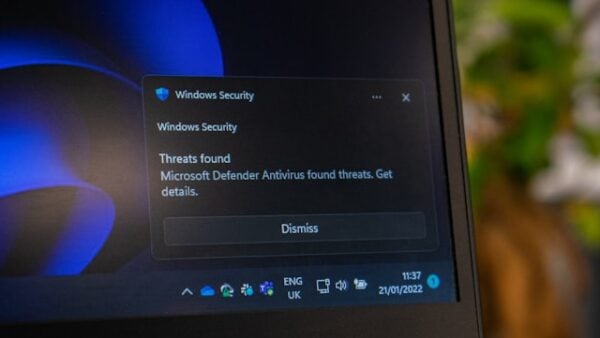
Current desktop operating systems ship with malware protection built in and enabled by default, and browsers carry their own warning layers. That is general background rather than something CISA or the FTC states in those terms, so treat it as context — but it does mean the practical choice for most people is not ‘protection or none’. It is ‘the one that is already running, or a second one you pay for’.
The FTC’s own browser-level advice reads as a set of habits rather than purchases: keep the browser’s default security settings, heed browser warnings, type web addresses directly instead of clicking links in email, avoid suspicious pop-ups, and get software only from legitimate sources.
None of that costs anything, and all of it operates earlier in the chain than a scanner does.
What a paid tier would need to beat
CISA’s framing of updates is the benchmark to hold any purchase against: turn automatic updates on so devices install them without input from you, because ‘Malicious online criminals won’t wait, so we shouldn’t either!’
That is a control which closes the flaw itself. Detection software, by contrast, is trying to catch what comes through a flaw that is still open. If a payment does not improve the first thing, it is competing in the harder category.
Ransomware guidance points the same way. The #StopRansomware Guide’s headline controls are phishing-resistant MFA on important services, offline encrypted backups that are regularly tested, and regular patching — a list on which detection software does not appear at all.
Working out whether paying buys you anything
- Is the free option actually running? A disabled scanner, or one whose trial expired and left protection off, is the common failure. Check before you compare anything.
- Are you buying features you would use? Suites bundle password managers, VPNs and tune-up tools. Judge each on its own merits rather than as part of a security score.
- Does it change the update picture? If it does not install operating system and application updates for you, it has not touched the thing CISA prioritises.
- Would the money go further elsewhere? An external backup drive, used per CISA’s advice and disconnected between backups, addresses the ransomware scenario that no scanner reliably prevents.
- Are you being sold a fix for a problem you were told about by a pop-up? The FTC lists excessive pop-ups and ads in unexpected places among the signs of an existing malware infection, not a reason to buy.
What the free-versus-paid framing leaves out
It leaves out that most consumer compromise starts with a person rather than a file. Phishing is the largest category by complaint volume in the FBI’s 2025 IC3 report, at 191,561 complaints — and CISA now warns that AI-written lures mean ‘some emails will now have perfect grammar and spelling, so look out for the other signs.’
It leaves out recovery. If the scanner is beaten, what matters next is whether you have a recent backup that was not attached to the machine at the time.
And it leaves out the vendor’s own obligations. CISA’s advice is to hold providers accountable for offering automatic updates — a criterion worth applying to security software as much as to anything else you install.
Sources: CISA Project Upskill, Module 1 · CISA — update software · FTC — how to recognize, remove and avoid malware · CISA #StopRansomware Guide · FBI IC3 2025 Annual Report
Reviewed 27 August 2026 by the CyberArtical editorial team against primary guidance from CISA, the FTC and the FBI. Security guidance changes over time; where our earlier version of this page said something different, we say so in the article rather than editing it out quietly.