Which privacy trade-offs are real, and which ones are not
"Security versus convenience" is treated as a law of nature, and it is used to excuse a lot of inaction. It is true in places. It is also invoked constantly for measures that cost nothing — a setting changed once, a free control that runs invisibly. Sorting the genuine trade-offs from the imaginary ones is the most useful thing you can do before deciding where to spend your patience.
Cost-free by the sources’ own description
- A credit freeze is free, "lasts until you lift it", and "it doesn’t affect your credit score" — while nobody can open a new credit account in your name.
- Automatic updates remove the effort entirely: CISA says devices then "install updates without any input from us as soon as the update is available."
- Disabling the advertising identifier is a one-time setting per device. CISA: "Disable your Ad ID."
- Data-broker opt-outs can be done "on your own, one by one, for free" — the cost is time, not money.
- CISA on MFA: "any MFA is better than no MFA" — the weaker options are not the same as no option.
The two-line version
Three things genuinely cost you something: strong authentication on accounts you use constantly, keeping data out of accounts that would be convenient to leave it in, and maintaining data-broker opt-outs that do not stay done.
Three things are routinely described as trade-offs and are not: automatic updates, the free credit freeze, and device-level privacy settings. Each is configured once and then invisible.
If you only act on one paragraph, act on the second. The free ones are free.
Three that are genuinely trade-offs
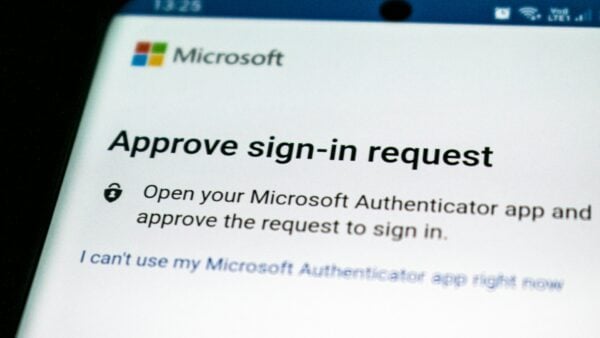
- Phishing-resistant authentication. Passkeys and security keys are what CISA ranks first, and NCSC’s finding is that no FIDO2 credential type is vulnerable to adversary-in-the-middle phishing while all traditional factors are. The cost is real: new enrolment on each device, and the awkwardness of a service that does not support it. Worth paying on email and money accounts.
- Not letting services hold things. Removing a saved card, declining a contacts import, turning off location history — each one costs a small recurring friction, permanently. The benefit is that a future breach at that company exposes less of you.
- Data-broker opt-outs. The FTC is candid that these are impermanent: information "could re-appear for sale" when public records change, and its instruction is to "Periodically check the people search sites." That is genuinely ongoing effort with a partial result.
Three that are sold as trade-offs and are not
- Automatic updates. The supposed cost is a badly-timed restart. CISA’s position is to turn them on so updates install "without any input from us as soon as the update is available", and its reasoning is that "Malicious online criminals won’t wait, so we shouldn’t either!" Deferring updates is effort spent to be less safe.
- The credit freeze. Cited as a hassle, described by the FTC as free to place and lift, lasting until you lift it, with no effect on your credit score. If you know which bureau a lender uses you can lift it at that one bureau alone and put it back afterwards.
- Device privacy settings. Turning off the advertising identifier and pruning app permissions changes almost nothing about how the device feels to use. The FTC’s framing is a menu you visit, not a mode you live in.
The trade-off people get backwards
Private browsing is the clearest case. It is treated as a privacy measure with a convenience cost — logging out of everything each time — when the FTC’s description is that it may delete browsing history after a session but "doesn’t block websites from seeing your online activity."
So the inconvenience is real and the protection is narrow: it hides your browsing from the next person at that computer. Paying the cost while believing you bought anti-tracking is the worst outcome available, because it also stops you doing the things that would work.
Security theatre is not just wasted effort. It is effort that displaces the real measure.
How to decide where to spend the inconvenience
- Do everything on the free list first. There is no decision to make about a control that costs nothing.
- Rank your accounts by what they unlock rather than by how sensitive they feel. Your email resets most other things; it goes first.
- Spend the strongest authentication on the top two or three accounts and accept weaker methods further down. CISA’s own hierarchy is a ranking, which implies choices.
- For data you are asked to store somewhere, ask what a breach at that company would expose. That question decides more than any settings page.
- Review annually rather than continuously. The main failure of an elaborate scheme is that nobody maintains it.
What the convenience argument leaves out
It assumes the cost falls on you and the benefit does too. Often the benefit falls on other people — your contact list in someone else’s breach, a child’s credit file, a colleague phished from your compromised account.
It also assumes the alternative to a measure is doing nothing, when the alternative is usually a cheaper measure. Where a strong option is genuinely impractical, CISA’s line holds: any MFA is better than no MFA, and the weaker rung is not the same as the ground.
Sources: FTC — Credit freezes and fraud alerts · CISA — Implementing phishing-resistant MFA (fact sheet) · FTC — How to protect your privacy online · FTC — What to know about people search sites · CISA — Best practices against tracking technologies and spyware
Reviewed 27 August 2026 by the CyberArtical editorial team against primary guidance from the FTC, CISA and NCSC UK. Security guidance changes over time; where our earlier version of this page said something different, we say so in the article rather than editing it out quietly.