Signs a message carries malware, and signs it already ran

There are two questions people conflate. The first is whether the email in front of you is trying to put something on your computer. The second is whether something already got there, possibly weeks ago, possibly from a message you have forgotten. The answers come from different lists, and only one of them involves reading an email carefully.
The two lists
- In the message: urgency and claims of dire consequences, requests for personal or financial information, untrusted shortened URLs, and near-miss addresses like
amazan.com. - CISA is explicit that grammar and spelling no longer qualify — AI-written lures have both.
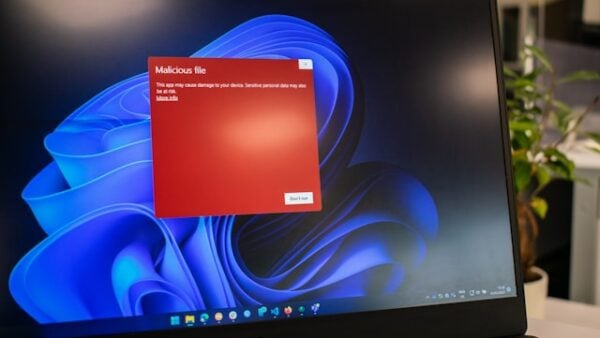
- On the device: sudden slowdowns, crashes, repeated errors, refusing to shut down, refusing to let you remove software, floods of pop-ups.
- Also on the device: ads on sites that never carry them such as government websites, unexpected toolbars, a new default search engine, a home page that keeps changing, emails you didn’t write, and battery draining faster than it should.
- If you gave up an SSN, card or bank number, the route is IdentityTheft.gov.
Reading the message: four indicators that still hold
CISA’s phishing indicators are short, and none of them concerns writing quality. Look for urgent or emotionally appealing language, especially anything claiming dire consequences if you do not act. Look for requests to send personal and financial information. Look for untrusted shortened URLs. Look for incorrect email addresses or links — CISA’s example is amazan.com, which reads correctly until you read it twice.
The FTC adds the stories these arrive in: a claim of suspicious activity or log-in attempts that never happened, a problem with your account or payment information that does not exist, a request to confirm information you never needed to confirm, an unrecognised invoice, a payment link where the link has malware, a government refund, and a free-stuff coupon.
An attachment deserves the same suspicion as a link. If neither the sender nor the reason for the file was expected, the safe move is CISA’s: resist opening it, report the message, delete it, and do not reply.
The tell that has been retired
Bad English used to be the headline indicator in every consumer article on this subject. CISA’s page now says directly that in the era of artificial intelligence some emails will have perfect grammar and spelling, so look out for the other signs.
Two related signals have gone the same way. A valid padlock and “https” in the address bar prove encryption, not honesty — the FBI’s guidance is not to trust a website just because it has them. And a domain that looks familiar is not the same as a domain that is correct; the FBI’s check is for misspellings or wrong domains, such as an address that should end in .gov ending in .com.
None of this makes messages unreadable. It means the evidence has moved from how a message is written to what it asks for and where it points.
Reading the device: the FTC’s symptom list
Any one of these has an innocent explanation. Several at once, starting around the same time, is the pattern worth acting on.
Timing helps as much as the symptoms do. Ask when it started, and what happened in the days before — an attachment opened, software installed from an unfamiliar source, a link followed out of a message. The FTC’s avoidance advice is to obtain software only from legitimate sources and to heed browser warnings, so a recent departure from either is a sensible place to start looking.
- It suddenly slows down, crashes, or displays repeated error messages.
- It won’t shut down or restart.
- It won’t let you remove software.
- It serves a lot of pop-ups, or inappropriate ads.
- It shows ads in places you typically wouldn’t see them, like government websites.
- Unexpected toolbars appear, or it uses a new default search engine, or it keeps changing your home page.
- It sends emails you didn’t write.
- It runs out of battery life more quickly than it should.
Getting it off the machine
- Stop shopping, banking and logging into accounts on that device.
- Get security software if you have none.
- Check that everything — operating system, browser, applications — is fully updated.
- Run a scan and delete what it finds.
- If the scan does not fix it, recover or reinstall the operating system using instructions from the manufacturer’s website.
When it stops being a device problem
If the message got a password out of you, change it on the real site, reached by typing the address rather than following any link. If it got a Social Security number, credit card number or bank account number, the FTC’s instruction is unambiguous: go to IdentityTheft.gov, which produces a personal recovery plan, tracks your progress and prints pre-filled letters to credit bureaus, businesses and debt collectors.
Report the message itself at ReportFraud.ftc.gov, forward the email to reportphishing@apwg.org, forward texts to SPAM (7726), and file internet crime with the FBI at IC3.gov. Then delete it.
Sources: CISA — Recognize and report phishing · FTC — How to recognize, remove, and avoid malware · FTC — How to recognize and avoid phishing scams · FBI IC3 — PSA on the HTTPS padlock (I-061019-PSA) · FTC — What to know about identity theft
Reviewed 27 August 2026 by the CyberArtical editorial team against primary guidance from CISA, the FTC and the FBI. Security guidance changes over time; where our earlier version of this page said something different, we say so in the article rather than editing it out quietly.