How to check a link or attachment before you open it
Most advice about suspicious links stops at “hover over it and see where it goes”. That was reasonable when fraudulent domains looked obviously wrong. It is thin now, because the domain in front of you may be one character off the real one, or a shortened URL that reveals nothing at all, or a perfectly valid certificate on a site built entirely to take your money. Here is what the FBI and CISA actually tell you to look at.
What the sources say to check
- FBI: “Check for misspellings or wrong domains within a link (e.g., if an address that should end in ‘.gov’ ends in ‘.com’ instead).”
- CISA lists untrusted shortened URLs and near-miss addresses such as
amazan.comamong its phishing indicators. - FBI/IC3: “Do not trust a website just because it has a lock icon or ‘https’ in the browser address bar.”
- FTC’s stronger habit: type the URL directly rather than clicking a link in an email.
- CISA: if the message asks you to verify something, “Look up another way to contact the company or person directly.”
What the sender is counting on
A malicious link does not need to fool you for long. It needs to survive the two seconds between reading a plausible sentence and moving the mouse. CISA’s indicator list describes exactly the conditions that shorten those two seconds: urgent or emotionally appealing language claiming dire consequences, and a request for personal or financial information.
The FTC’s pretexts are the specific stories used to create that urgency — a suspicious log-in attempt that never happened, a problem with your payment information that does not exist, an invoice you do not recognise, a refund from the government, a coupon for free stuff. Recognising the story is often faster than examining the link.
Reading the address properly
When you do look at the link, the FBI’s rule is about the shape of the domain rather than its familiarity: check for misspellings or wrong domains, and specifically for an address that should end in .gov ending in .com instead. CISA’s example is the same failure in miniature — amazan.com reads as the real thing at a glance and is not.
Read the domain from the right. The part immediately before the first single slash is the site you are actually visiting; everything to the left of it can be set to anything the sender likes. A long address that begins with a brand name you recognise tells you nothing about where it ends up.
Shortened links defeat this check entirely, which is why CISA lists untrusted shortened URLs as an indicator in their own right rather than as a style choice.
Two checks that no longer work
The padlock is the first. The FBI issued a public service announcement on this precisely because criminals incorporate valid certificates into phishing sites, and its wording leaves no room: do not trust a website just because it has a lock icon or “https” in the address bar. The padlock attests to encryption in transit, not to the honesty of whoever runs the site. The FTC makes the same point — scammers create fake websites and encrypt them so you think they’re safe, and your data may be encrypted on the way to the site but it won’t be safe from the scammers operating it.
The second is spelling. CISA’s current guidance states that in the era of AI some emails will have perfect grammar and spelling, so look out for the other signs. A well-written message is no longer evidence of anything.
The check that still works
Do not verify the message using the message. CISA’s rule is to look up another way to contact the company or person directly — the number on your card, the app already on your phone, a web address you type yourself. The FTC’s version for links is the same instinct: type the URL directly rather than clicking.
This works because it does not depend on your assessment of the email at all. It routes around the entire question of whether the writing, the logo or the domain looked right, which is the only kind of check that stays reliable as forgery gets cheaper.
If you already clicked or opened it
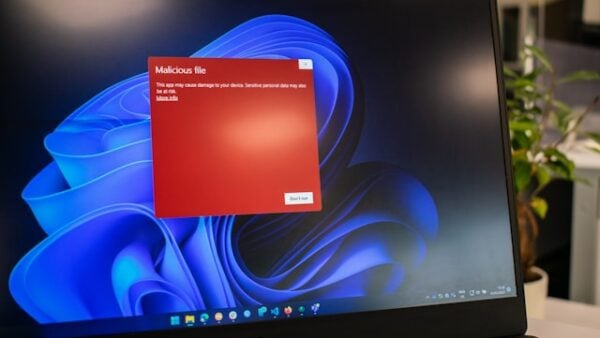
Watch the device afterwards for the FTC’s malware signs: sudden slowdowns and crashes, repeated error messages, refusing to shut down or restart, refusing to let you remove software, ads in places you would not normally see them, unexpected toolbars, a changed default search engine, emails you did not write, or battery draining faster than it should.
- Stop doing anything sensitive on the device — no banking, shopping or logging in.
- Update your security software and make sure your operating system and other software are current, then run a scan and delete what it finds.
- If a scan does not resolve it, recover or reinstall the operating system using the manufacturer’s instructions.
- If you entered a password, change it on the real site, reached by typing the address yourself.
- If you gave up a Social Security, credit card or bank account number, go to IdentityTheft.gov for a recovery plan.
Where to send the message
- Forward phishing email to reportphishing@apwg.org.
- Forward phishing texts to SPAM (7726).
- Report it at ReportFraud.ftc.gov.
- Report internet crime to the FBI at IC3.gov.
- Then delete the message. Do not reply, and do not click anything in it on the way out.
Sources: FBI IC3 — PSA on the HTTPS padlock (I-061019-PSA) · CISA — Recognize and report phishing · FTC — How to recognize and avoid phishing scams · FTC — How to recognize, remove, and avoid malware · FTC — Are public Wi-Fi networks safe?
Reviewed 27 August 2026 by the CyberArtical editorial team against primary guidance from the FBI, CISA and the FTC. Security guidance changes over time; where our earlier version of this page said something different, we say so in the article rather than editing it out quietly.