Keeping control of who is on your guest Wi-Fi
Guest Wi-Fi is one of the few home network features that is both easy to enable and genuinely recommended. The FTC gives two reasons for it: fewer people end up holding your primary Wi-Fi password, and malware on a guest’s device will not infect the primary network. Both benefits depend on the guest network staying separate and the password not gradually becoming public. This is about setting it up so those things stay true.
Why the agencies recommend one
- FTC: with a guest network, "fewer people have your primary Wi-Fi network password", and malware on a guest device won’t infect the primary network.
- CISA: enable the guest Wi-Fi feature with a separate strong password.
- CISA: "Connect any smart home and other IOT devices to your Guest Wi-Fi if internet access is the only thing they require" — this prevents device discovery onto the main network.
- CISA: "Disable Wi-Fi Protected Setup (WPS). This setting increases the likelihood that a threat actor could gain unauthorized access to your Wi-Fi network."
- FTC: set encryption to WPA3 Personal or WPA2 Personal — this applies to the guest network as well as the main one.
What the separation is actually doing
Two distinct things, and it helps to keep them apart in your head.
The first is credential hygiene. Every visitor who gets your main Wi-Fi password keeps it — in their phone, indefinitely, and sometimes in a message thread they later forward. The FTC’s phrasing is simply that fewer people have your primary password.
The second is containment. A guest device that is carrying something unpleasant is connected to a segment that cannot reach your laptops, your file shares or your printer. The FTC states this as malware on a guest device not infecting the primary network.
Before you switch it on
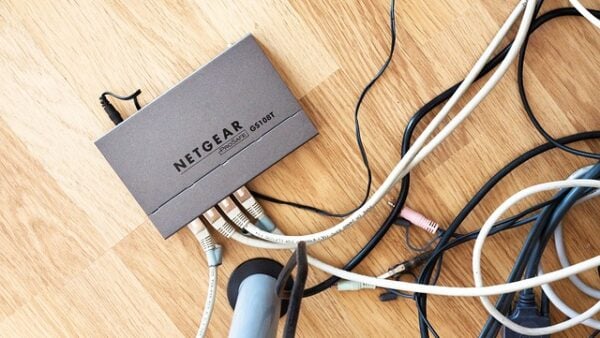
- Log into the router properly, through its admin address, and make sure you can find the wireless settings for both networks.
- Check that the main network’s encryption is WPA3 Personal, or WPA2 AES/PSK if WPA3 is unavailable. There is no point isolating guests onto a network protected worse than the one you are protecting.
- Know what currently connects to your main network, so you can tell what has moved once you are done.
- Have somewhere to write the guest password down. It should not be something you can guess, which means it is not something you will remember.
Setting it up so it stays separate
- Enable the guest network and give it its own password — CISA specifies a separate strong password, not a variant of your main one.
- Set the guest network’s encryption to the same standard as your main network. Some routers default the guest network to something weaker; check rather than assume.
- Look for a setting variously called client isolation, AP isolation, or "allow guests to see each other and access my local network". Turn the local-network access off. This is the setting that makes the separation real.
- Give it a name that does not advertise your household or the router brand, in line with the FTC’s advice about network names generally.
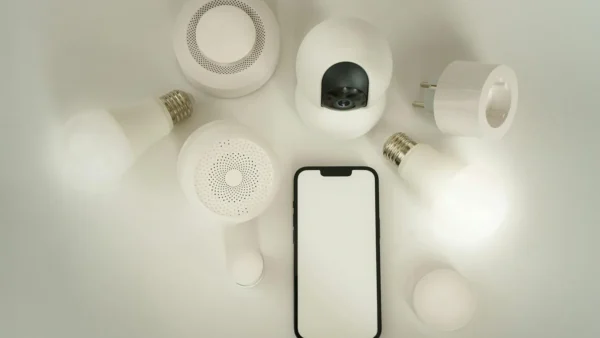
- Move your smart home devices onto it. CISA’s instruction is to connect IoT devices to the guest network where internet access is all they need, which stops them discovering anything on the main network.
- Check whether the guest network exposes the router’s admin interface. It should not.
Handing out the password without losing track of it
This is where most households lose the benefit. The guest password gets messaged to one visitor, forwarded to another, written on a whiteboard, and eventually shared with the street.
Some routers can print a guest password to a QR code, or set one that expires after a period. Both are worth using if available: an expiring password is the only version of this that self-corrects.
If neither exists, the workable habit is to change the guest password occasionally — after a party, a house move, or when tradespeople have been in. Note that this is not the same as the routine password rotation neither agency asks for on your main network; it is a response to the password having circulated, which is exactly the "evidence of compromise" case.
Do not turn WPS on as a convenience for guests. CISA is explicit that it increases the likelihood of unauthorised access.
Checking the separation is real
- Connect a phone to the guest network and try to open the router’s admin page. It should fail.
- From that phone, try to reach a printer or a shared drive on the main network. It should fail.
- Open the main network’s device list and confirm the smart devices you moved are no longer on it.
- Confirm the guest network shows the encryption you set, not an older mode inherited from a default.
What a guest network does not isolate you from
It does not protect the guest. Anything on the guest segment still reaches the internet, and a compromised device still does whatever it was going to do out there.
It does not substitute for the rest of the router list — unique admin credentials, current firmware, remote management off, UPnP off, firewall on. CISA notes some routers support automatic firmware updates, and the FTC suggests registering the router so you receive notices, because routers frequently do not update themselves.
And it does not help if the router itself is the thing that has been compromised. If you suspect that, the FBI’s IC3 and CISA’s incident reporting page are where it goes.
Sources: FTC — How to secure your home Wi-Fi network · CISA Project Upskill, Module 5 · FBI Internet Crime Complaint Center · CISA — Report a cyber incident
Reviewed 27 August 2026 by the CyberArtical editorial team against primary guidance from the FTC, CISA and the FBI. Security guidance changes over time; where our earlier version of this page said something different, we say so in the article rather than editing it out quietly.