How to build a passphrase you will actually remember
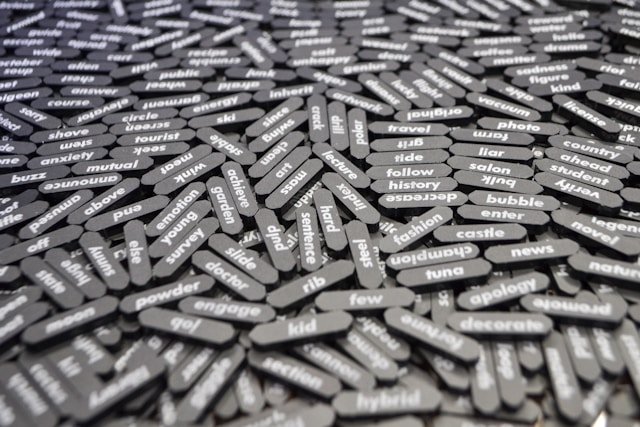
Nobody can memorise thirty random character strings. NCSC UK says so outright — the reason it recommends three random words is that remembering many complex passwords ‘is almost impossible’. So the honest question is not how to memorise everything, but which few passwords you need in your head, and how to make those ones long enough to hold up. This is the method, and its limits.
Before you build anything
- NCSC UK’s consumer method is three random words — its own worked example is ‘applenemobiro’.
- NIST SP 800-63B-4 (July 2025) sets a floor of 15 characters for a password used as the only factor.
- Verifiers must accept every printing ASCII character plus the space, so a phrase with spaces in it is legitimate input.
- NCSC on l33t-speak: criminals know the substitutions, so the password ‘won’t be significantly stronger, but it will be harder for you to remember.’
- CISA recommends a password manager for everything you are not memorising.
What a memorised passphrase is for
A passphrase solves one specific problem: the small number of credentials that cannot live inside a password manager, because they are what unlocks it or what you need when you have lost access to everything else.
In practice that is a short list. The password to your password manager. The password to your primary email account, since that is what every other account uses to reset itself. Your computer’s login. Possibly your phone’s passcode, though that one has its own rules.
Everything else should be generated and stored, not memorised. Trying to memorise more than a handful is what pushes people back into reuse.
Deciding which accounts you are doing this for
Write down the accounts you would need if you lost your phone and your laptop on the same afternoon. That is usually the whole list, and it is usually three or four entries.
Check what second factor each of them has, because that changes the length you need. NIST’s 15-character minimum applies where the password is the only factor. Where a second factor is present, the standard’s floor drops to 8 — but for accounts this important, aim high regardless.
Building one with three random words
- Pick three words that have nothing to do with each other and nothing to do with you. Not your street, your pet, your team, your children’s names. NCSC’s own example is deliberately absurd: apple, nemo, biro.
- Count the characters. Three short words may land under fifteen. If so, add a fourth word rather than adding a symbol — length is the property that is doing the work.
- Keep the spaces if the site accepts them. NIST requires verifiers to accept the space character, and spaces make the phrase far easier to type accurately on a phone.
- Do not substitute characters. Replacing o with 0 and a with @ makes the phrase harder for you and no harder for an attacker, which is NCSC’s stated reason for advising against it.
- Use a different phrase for each of the few accounts on your list. Three memorable phrases is a realistic ask; the same phrase everywhere is the failure this whole exercise exists to prevent.
Checking it against the current standard
- Is it 15 characters or more? If the account has no second factor, that is the NIST minimum, and CISA’s consumer figure is 16.
- Is it unique? Reuse is the thing a breach blocklist is designed to catch, and it is the reason NIST now requires verifiers to screen proposed passwords against known-compromised ones.
- Did the site accept it as typed? If a form rejects spaces or truncates at 12 characters, that site is behind the standard. Use the longest phrase it will take and make sure a second factor is switched on there.
- Have you avoided a hint? NIST prohibits verifiers from storing password hints at all. If a site still offers one, leave it blank.
Where memorising stops being the answer
A passphrase is still a password, and NIST is explicit that passwords are ‘not phishing-resistant’. A phrase you can remember can also be typed into a convincing fake login page. Length does nothing about that.
The control that does address it is a phishing-resistant second factor. CISA states that ‘The only widely available phishing-resistant authentication is FIDO/WebAuthn authentication’, and NCSC UK recommends that users favour passkeys where a service offers them and use a second factor on top of a password where it does not.
It also does nothing about a breach at the other end. If a company loses its password database, the strength of your phrase determines how long it resists cracking, but not whether it was taken. Uniqueness is what limits the damage there, which is why the memorised set has to be small enough that every phrase in it can be different.
So the passphrase is the floor, not the ceiling. Build three good ones, put everything else in a manager, and add the strongest second factor each account will accept.
Sources: NCSC UK — three random words · NIST SP 800-63B-4, Digital Identity Guidelines · NCSC UK — traditional credentials and FIDO2 for personal use · CISA — implementing phishing-resistant MFA
Reviewed 27 August 2026 by the CyberArtical editorial team against primary guidance from NCSC UK, NIST and CISA. Security guidance changes over time; where our earlier version of this page said something different, we say so in the article rather than editing it out quietly.